Notifications
Get pushed the moment your agent finishes, pauses, or needs you — plus an optional daily email recap.
- Task done, waiting, offline…
- One switch per notification type
- A recap in your inbox
You don't have to babysit a run. CodeAgent pushes you the moment something needs your attention — your agent finished, paused for an answer, or went offline — so you can step away and come back when it matters. Open it from Profile → Notifications.
"Enable notifications" is the master toggle for all push — turn everything on or off in one place.
Below it, each notification type is its own toggle, so you get exactly the alerts you want and none you don't.
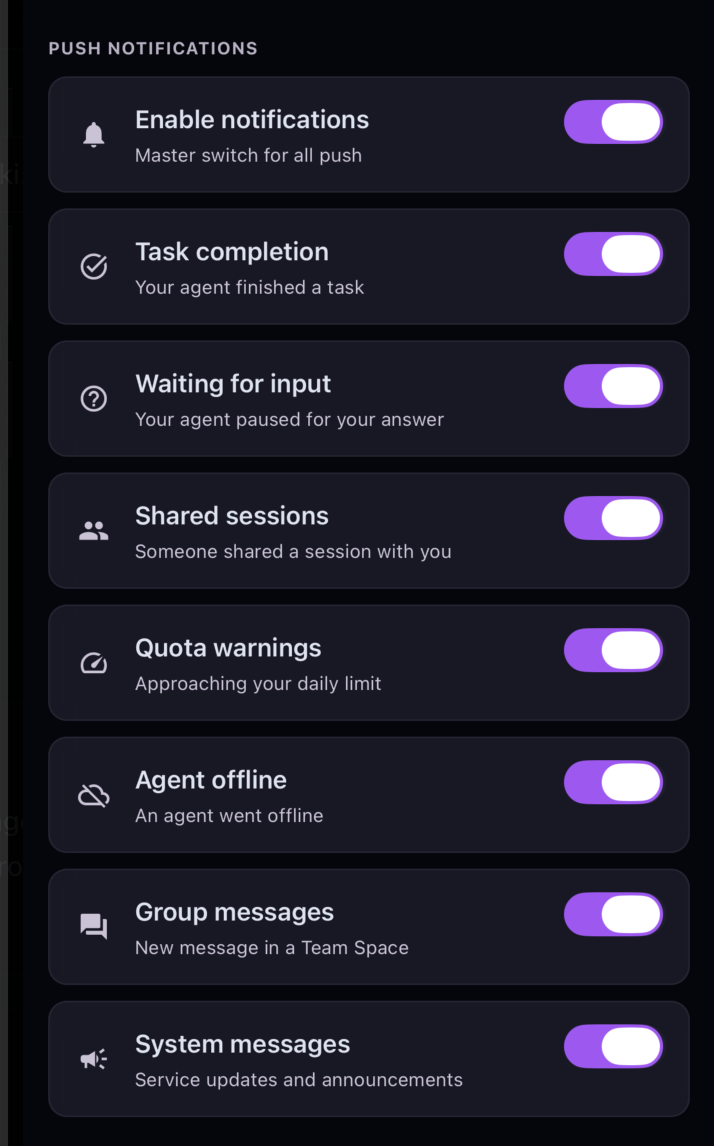
Your agent finished a task.
Your agent paused for your answer.
Someone shared a session with you.
You're approaching your daily limit.
An agent went offline.
A new message in a Team Space.
Service updates and announcements.
The first time you enable push, tap the toggle to grant the OS notification permission — the app walks you through it.
Prefer a recap? Keep the Daily summary on for a once-a-day digest of what happened while you were away.
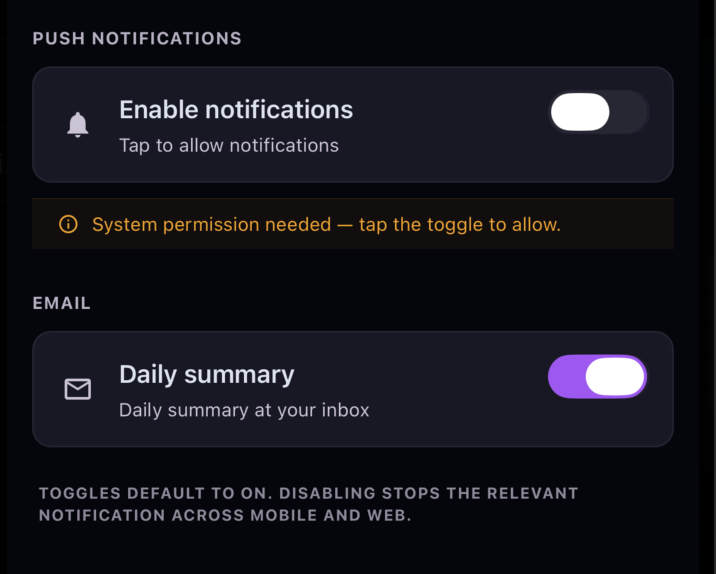
Toggles default to on, and turning one off stops that notification across both mobile and web — your preference follows your account, not the device.
FAQ
Related
Ready to try it?